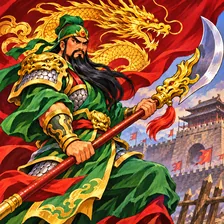
This V119 edition is a side-scrolling arcade action game inspired by the Three Kingdoms.
Who is this version for?
Knights of Valour Plus (Version V119). Best for players looking for local arcade play, clear controls and short sessions. Choose a warrior, fight through stages and collect items. Attack and jump to face enemies; select and use items when needed. Collect items during a stage. Select an item and use it; its effect depends on the item.
What version is this?
This page runs the V119 edition of Knights of Valour Plus.
What makes this version different?
Knights of Valour Plus — Version V119. 1× Coin. Verified title and build; no further player-visible differences are claimed. Knights of Valour: This V117 edition is a side-scrolling arcade action game inspired by the Three Kingdoms. Knights of Valour: Super Heroes: This V104 edition is a side-scrolling arcade action game inspired by the Three Kingdoms.
Keyboard settings
Default keys: WASD · J: Attack · K: Jump · U: Select item · I: Use item · V: Coin · Enter: Start
What should I try first?
Keyboard settings: Choose a control, then press a key. Save. Coin → Start. Choose a warrior, fight through stages and collect items. Attack and jump to face enemies; select and use items when needed.
Knights of Valour Plus — How do I change the keyboard controls?
Start game. Keyboard settings: Choose a control, then press a key. Save. V: Coin · Enter: Start. Default keys: WASD · J: Attack · K: Jump · U: Select item · I: Use item · V: Coin · Enter: Start
What version is this?
This page runs the V119 edition of Knights of Valour Plus.
How do items work?
Collect items during a stage. Select an item and use it; its effect depends on the item.
Knights of Valour Plus — How many players can join?
1–4P. Keyboard settings: Choose a control, then press a key. Save. Default keys: WASD · J: Attack · K: Jump · U: Select item · I: Use item · V: Coin · Enter: Start.
Knights of Valour Plus — Which game should I try next?
Knights of Valour — This V117 edition is a side-scrolling arcade action game inspired by the Three Kingdoms. Knights of Valour: Super Heroes — This V104 edition is a side-scrolling arcade action game inspired by the Three Kingdoms. Knights of Valour 2 Plus: Nine Dragons — This M205XX edition is a side-scrolling arcade action game inspired by the Three Kingdoms.
Knights of Valour Plus — Do I need to download or install anything?
No. Start the game in the browser; the emulator downloads the game files only when you launch it.